Your roster.
In perspective.
Compare creator performance. Find the lives behind the brief.
Equip your roster with Pro and turn insights into reports.
Connected by assignment.
Understood with context.
Used by creators and agencies worldwide.
- Creators
- 10,000+
- Agencies
- 2,000+
See the whole picture.
Keep the detail.
One Partner Portal for your assigned roster: performance, creator comparison, stream activity, licences and reports. Explore the real interface with demo data.
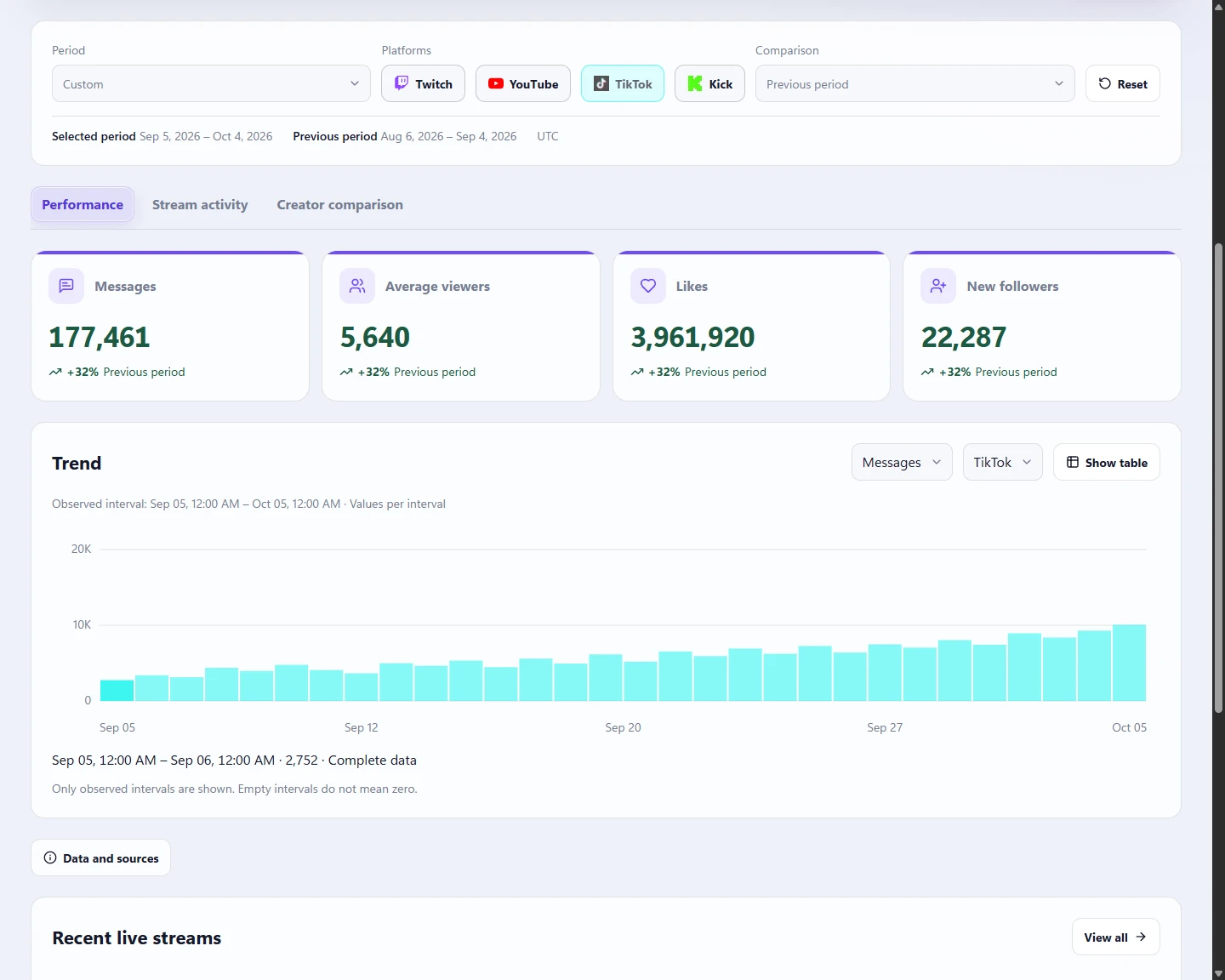
Spot the progress.
Plan the next move.
Who is building an audience? Which live got people talking? Move from a creator’s performance to a side-by-side roster comparison, with the period and platform in view.
- More than a viewer count. Explore messages, likes, new followers, audience, engagement, support and live duration where the platform and observed data support them.
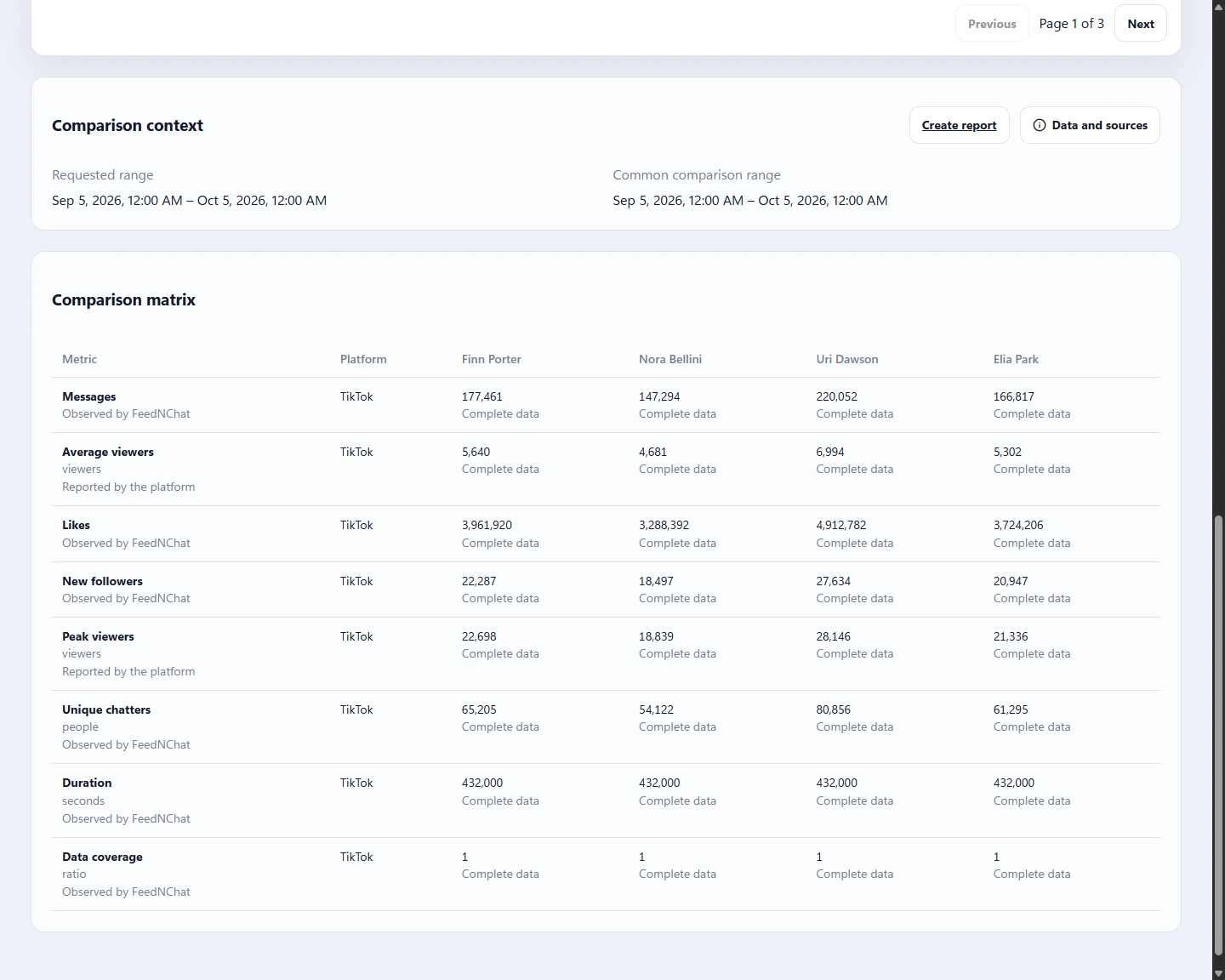
- Put 2–10 creators side by side. Compare their available metrics over a common accessible interval. Keep source, units and coverage visible.
- Follow the change. Review previous-period comparisons and metric trends, then open the broadcasts behind a creator’s results.
Find the content.
Build the report.
Preparing a client update or reviewing a game category? Find the relevant broadcasts and turn the selection into a report your team can use.
- Find the right content. Search titles and tags, include or exclude hashtags, and filter by date, category, platform and minimum duration.
- Bring the roster together. Build a live-content report for 1–10 creators. Group by creator, category, platform or live session.
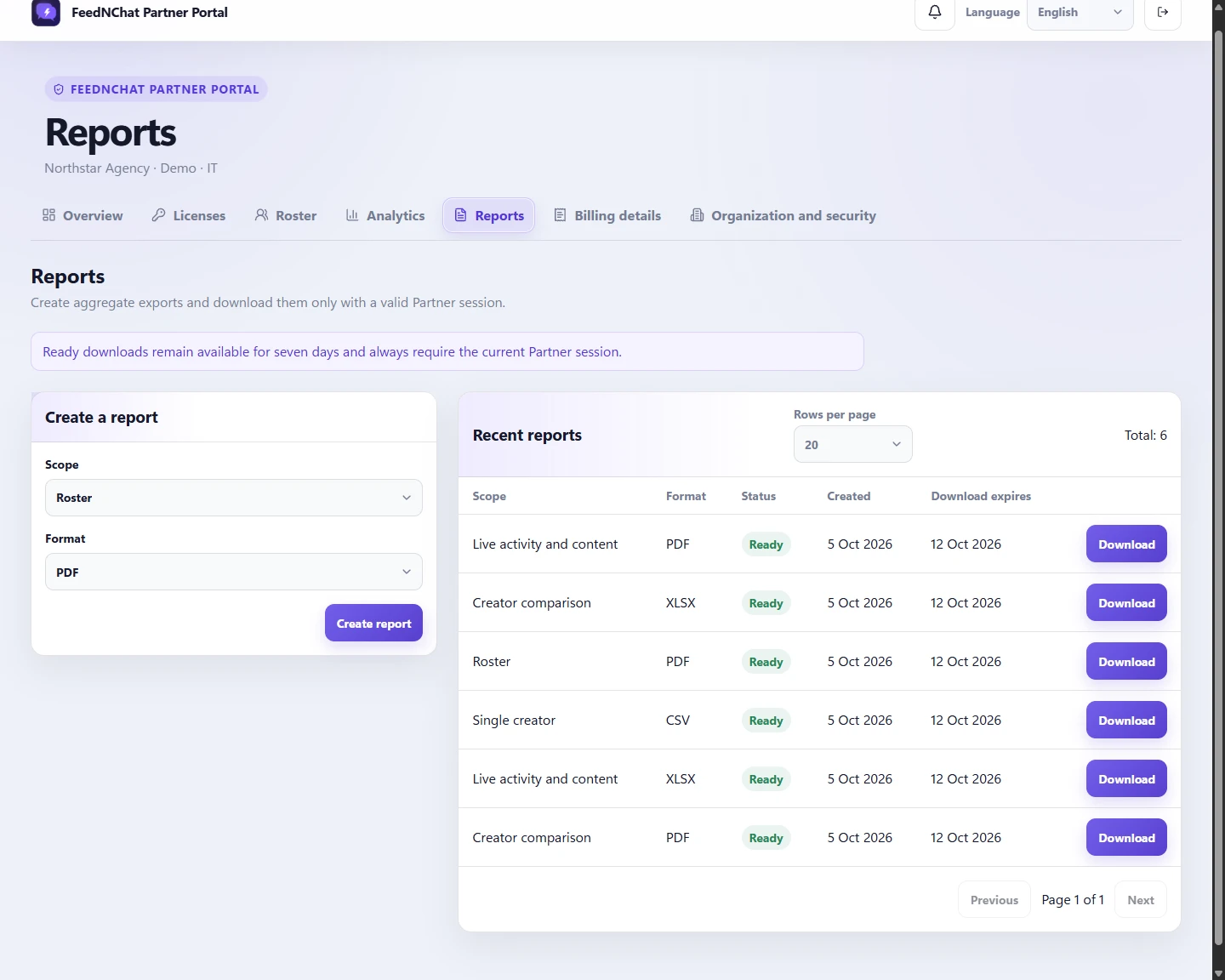
- Take the findings with you. Give the report a title and export PDF, CSV and Excel. Follow its preparation in the portal and download ready files for seven days.
Creators get Pro.
You see the picture.
Give your roster the tools to run stronger live sessions. An accepted agency licence unlocks Pro, while your team uses a separate portal for the authorised roster data.
- A toolkit they can use every day. Analytics, Community Intelligence, Bot Studio, Team and advanced interactions. Pro removes FeedNChat branding from covered live outputs.
- Onboard one creator or a whole list. Send individual invitations or import CSV lists, use aliases and external references, and follow assignment status.
- Keep the seats working. Reassign licences as your roster changes, check platform health and plan around the shared annual expiry.
The tools behind
your next decision.
Explore the Partner Portal in detail. Analytics cover assigned creators and authorised aggregate data; individual metrics depend on platform support and coverage.
Performance you can act on
- Average and peak viewers
- Review the audience each supported platform reports, with its available coverage.
- Messages, likes and new followers
- Follow conversation, participation and follower growth across your assigned creators.
- Unique chatters and engagement
- Unique chatters, Messages per minute and Engagement rate add context to the volume of activity. Availability varies by platform.
- Support and live duration
- Review monetary support, support events and session duration. Currencies and platform-specific support units remain separate.
- Previous-period comparison
- Compare a creator’s selected period with the previous period, then explore the metric trend or its data table.
- Side-by-side creator comparison
- Compare 2–10 creators over a common accessible interval, with platform, source and unit context beside the figures.
- Data and sources
- Missing data is not zero. Inspect data coverage, gaps and provisional, partial or unavailable results before drawing conclusions.
Find the live behind the brief
- Broadcast-level detail
- Open a creator’s live session to review its performance, observed period, title and available category metadata.
- Title and tag search
- Find relevant broadcasts using title and tag text. Choose whether any search term or every term must match.
- Hashtags and categories
- Include or exclude hashtags, select categories and narrow the search by platform and minimum duration.
- Live-content reports
- Select 1–10 creators and collect the matching broadcasts for your chosen dates and content filters.
- Report grouping
- Group by creator, category, platform or live session to organise the same findings for different questions.
- Custom report titles
- Name the report for the client update, content review or internal brief it supports.
From analysis to a deliverable
- PDF, CSV and Excel
- Prepare a readable PDF or keep working with the exported data in CSV and Excel.
- Five report scopes
- Choose roster, creator, comparison, live-content or final-assignment reporting according to the information you need.
- Carry the context forward
- Reports retain the selected period, platforms and available data context, so the numbers remain interpretable.
- Report job tracking
- Keep queued, processing, ready and failed exports visible while reports are prepared.
- Seven-day downloads
- Ready files remain available for seven days through authorised Partner access.
Equip your roster. Keep it organised
- Pro for assigned creators
- An accepted, active licence unlocks Pro: Analytics, Community Intelligence, Bot Studio, Team and advanced interactions, with branding removed from covered outputs.
- Individual and bulk invitations
- Invite one creator or import CSV lists. Track invitation state, regenerate or cancel invitations and revoke assignments.
- External references
- Use creator aliases and external references to keep assignments recognisable to your team.
- Roster and platform health
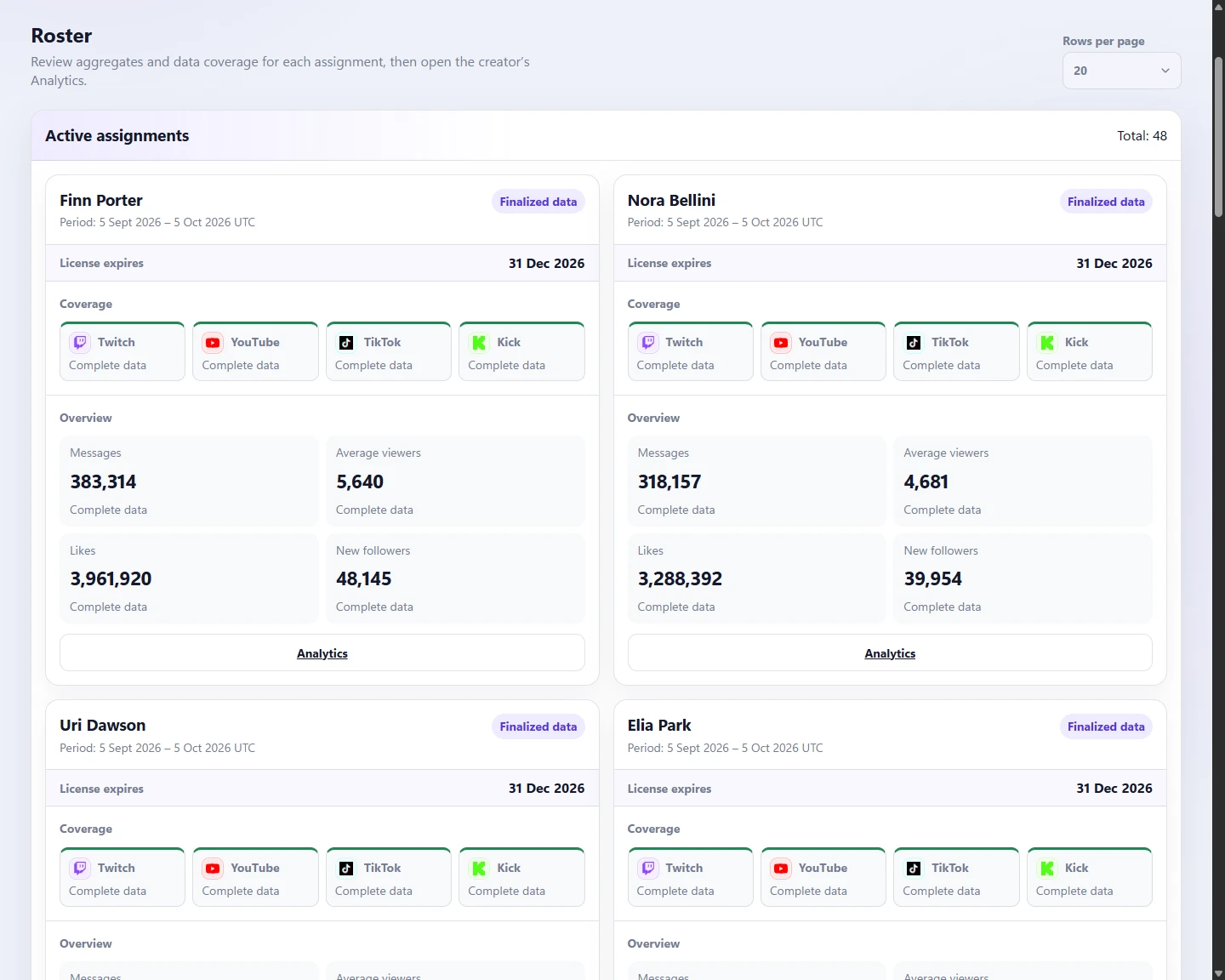
- Review assigned creators, connected-platform health, available aggregates and licence expiry in one roster.
- Reusable licence seats
- Reassign an available seat without resetting the annual package expiry. Expiry reminders help you plan the next term; there is no automatic renewal.
- Separate, secure access
- Partner credentials, multi-factor authentication and assignment-scoped data access. Creators keep control of their own accounts and platform connections.
A clear view.
A clear agreement.
Agree an annual Pro package for your roster, with quantities and commercial terms arranged directly. There is no automatic renewal.
Explore live creator managementCreators keep their accounts.
Your team sees authorised aggregate data for assigned creators. Creators manage their own platform connections. Multi-factor authentication and separate Partner access protect the boundary.
A few things worth knowing.
How is agency pricing arranged?
Pricing and service are available on request. Email us to agree the number of Pro licences, annual package duration and commercial terms. There is no automatic renewal or public checkout in the Partner Portal.
What does an assigned licence give a creator?
Once the creator accepts the invitation, an active agency licence unlocks FeedNChat Pro and removes branding from covered live outputs. The creator keeps their own account and provider connections.
Can we access every creator's data?
No. Agency access is scoped to assigned creators and authorised aggregate data. Availability depends on the connected platform and data coverage. The portal does not expose individual chat messages, audience identities or provider credentials.
Can we reassign a licence?
Yes. Revoking an assignment makes the seat available for another creator without resetting the package expiry. Revocation ends aggregate-data access for the previous assignment.
What performance can we analyse?
Review messages, likes, new followers, average and peak viewers, unique chatters, support, live duration, Messages per minute, Engagement rate and data coverage where available. Compare a creator with a previous period or compare 2–10 creators over a common accessible interval. Platform support, source and coverage stay visible.
Can we report on specific live content?
Yes. Select 1–10 creators, choose dates and filter broadcasts by title or tag text, included or excluded hashtags, category, platform and minimum duration. Add a report title and group by creator, category, platform or live session. This reports matching content; it does not establish campaign attribution or return on investment.
What can we include in a report?
Choose roster, creator, comparison, live-content or final-assignment scope, with supported period and platform filters. Reports are prepared asynchronously in PDF, CSV or Excel. Ready files remain available for seven days and require authorised access.
Is this a CRM or creator discovery tool?
No. FeedNChat focuses on live creator operations, licence management and authorised performance analytics. It is not a CRM, discovery or payroll service.
A package
for your roster.
Tell us about your roster and the live content you work with. We will discuss your Pro licence package and how the Partner Portal fits your team.
Send an email request